Slide walkthrough · 2 min read

Set up an interval identification exercise

Explore tutorials
Explore step by step5 slides · At your own pace
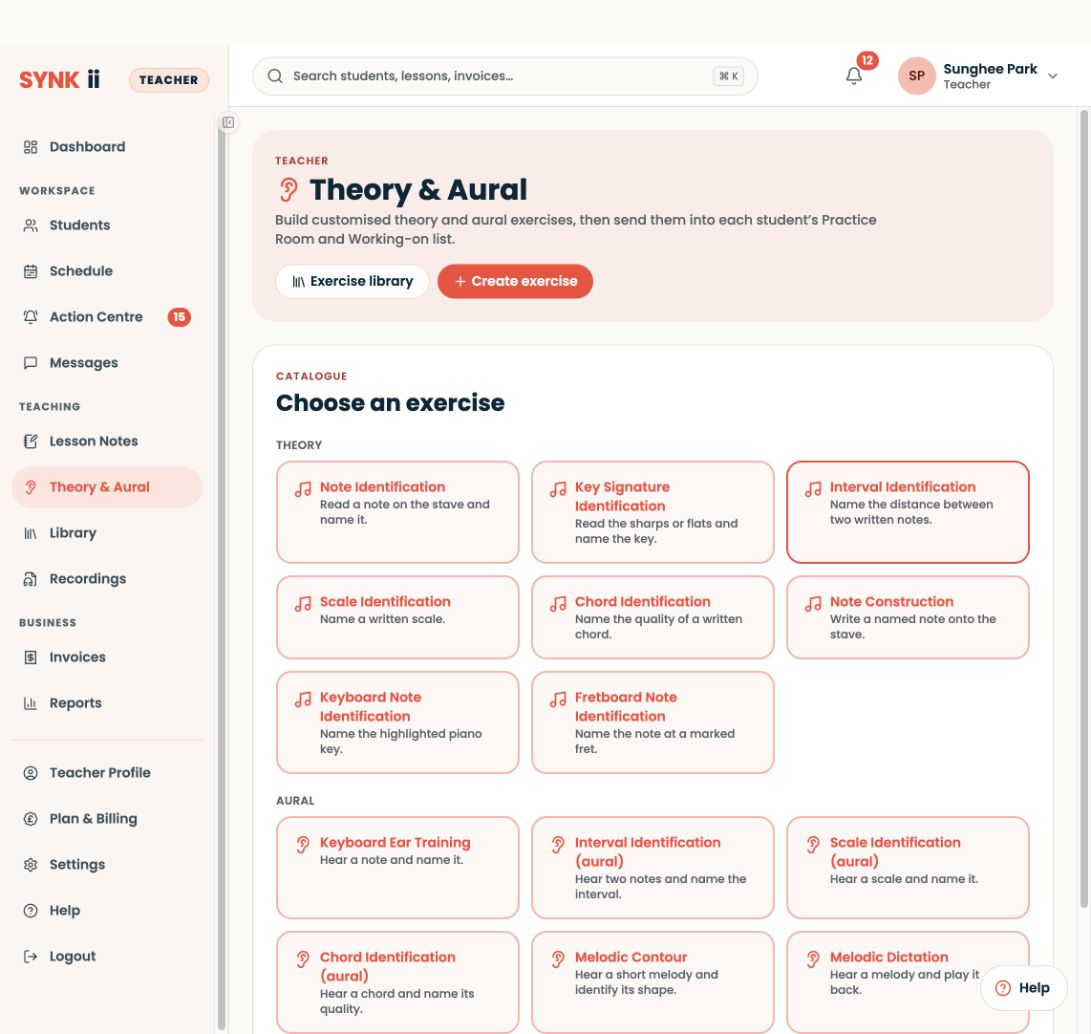
Actual SYNKii interface: Choose Interval Identification. Open Theory & Aural, choose Create exercise, then the written Interval Identification exercise.
STEP 01

Choose Interval Identification

Open Theory & Aural, choose Create exercise, then the written Interval Identification exercise.

Enlarge screenshot
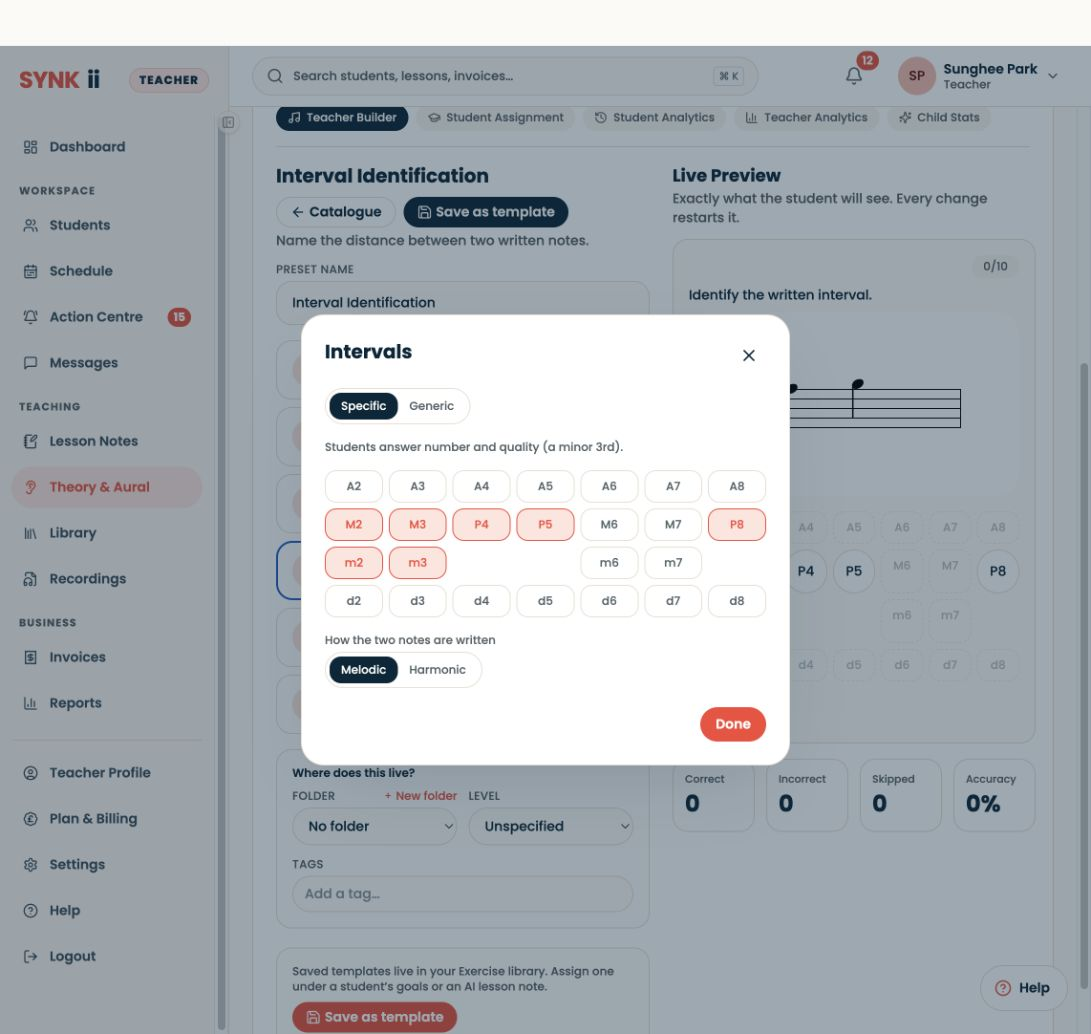
Actual SYNKii interface: Choose the intervals. Select the interval qualities your learner is working on. Specific answers include both number and quality.
STEP 02

Choose the intervals

Select the interval qualities your learner is working on. Specific answers include both number and quality.

Enlarge screenshot
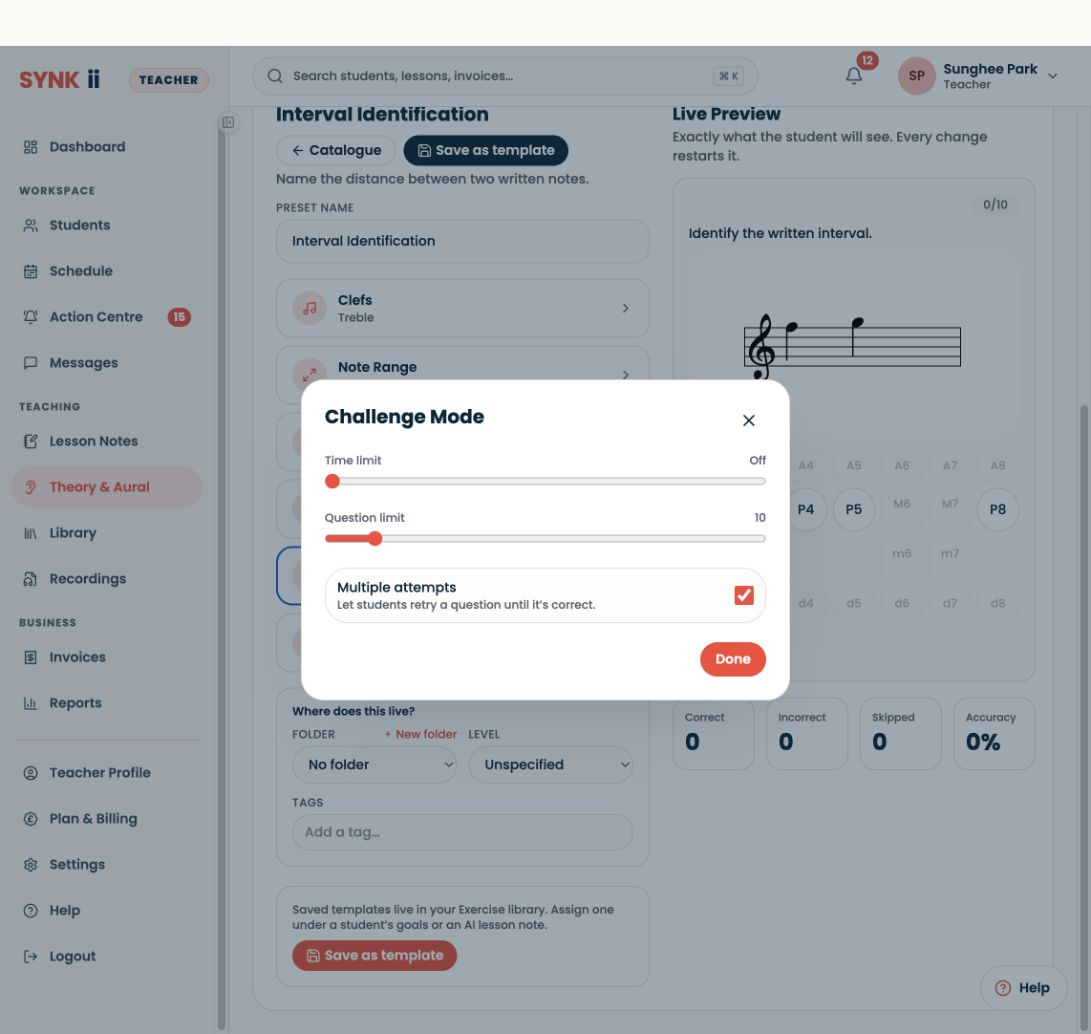
Actual SYNKii interface: Set a manageable challenge. This example has no time limit, ten questions and retries. Use the controls to match the learner’s needs.
STEP 03

Set a manageable challenge

This example has no time limit, ten questions and retries. Use the controls to match the learner’s needs.

Enlarge screenshot
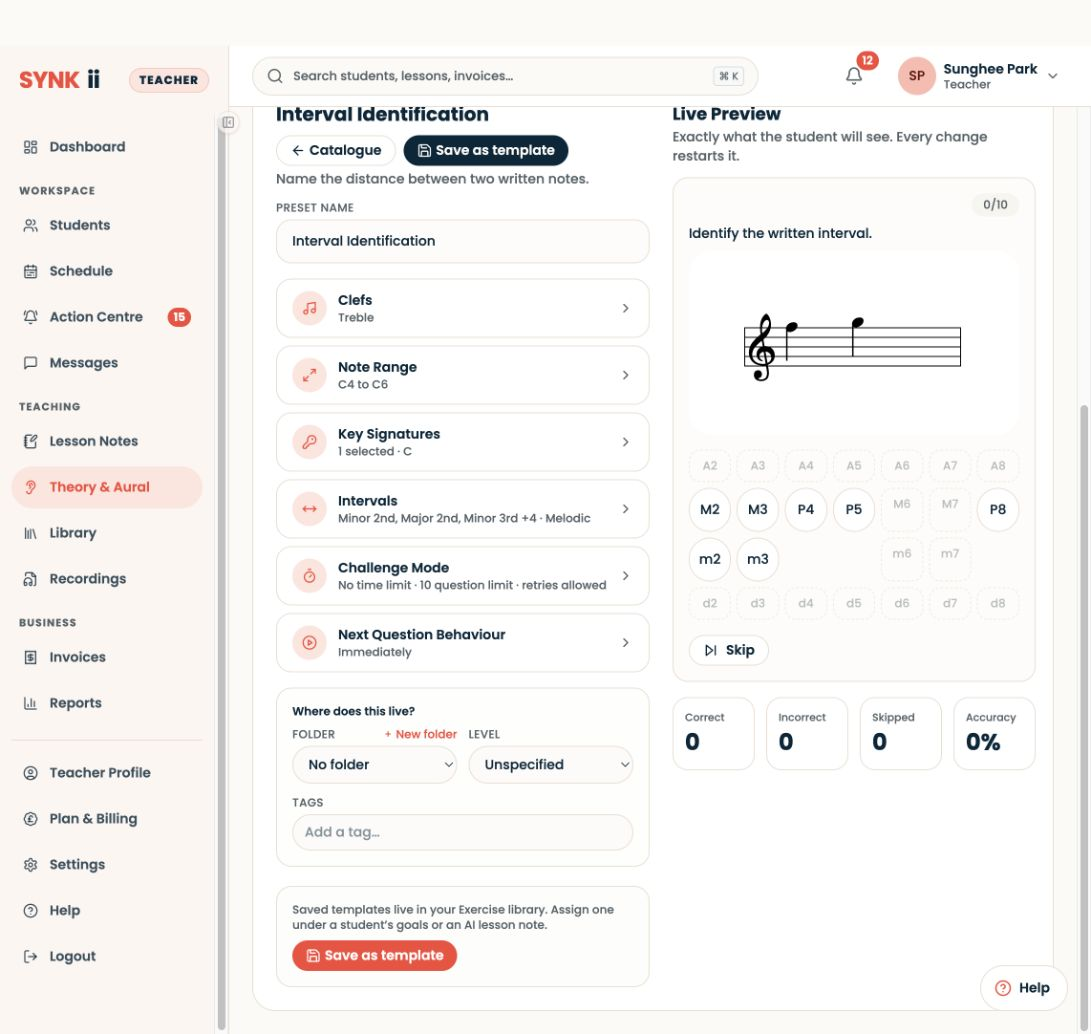
Actual SYNKii interface: Check the Live Preview. Review the clef, note range and answer choices. Try a question before you save or assign the exercise.
STEP 04

Check the Live Preview

Review the clef, note range and answer choices. Try a question before you save or assign the exercise.

Enlarge screenshot
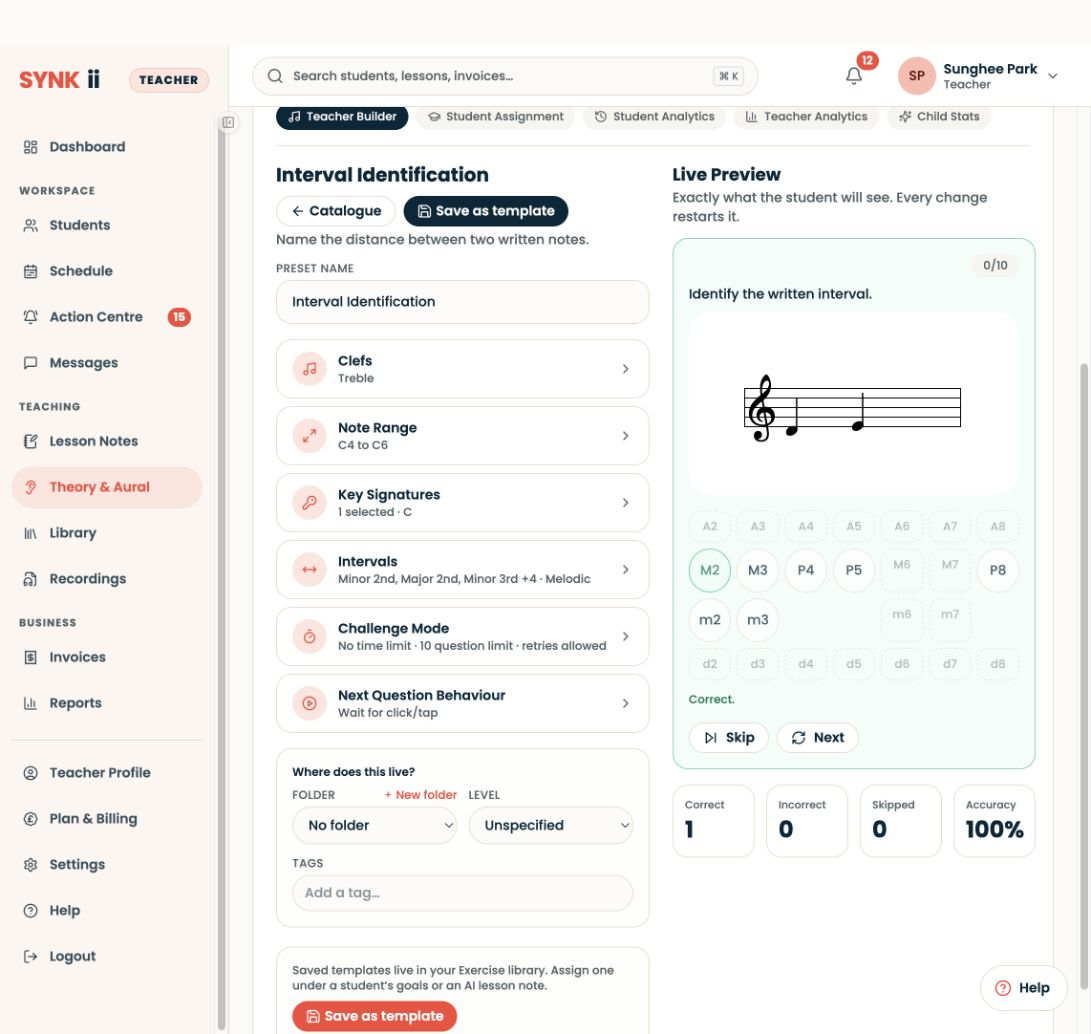
Actual SYNKii interface: Review the feedback. A correct answer updates the feedback and counters. This is teacher preview activity, not a student’s practice report.
STEP 05

Review the feedback

A correct answer updates the feedback and counters. This is teacher preview activity, not a student’s practice report.

Enlarge screenshot

Choose, configure, preview · Actual platform captures · September 2026

These five slides show the actual SYNKii staging interface captured in September 2026. Follow the setup at your own pace. The question and feedback are teacher preview activity; no exercise was assigned to a real learner.

Written walkthrough

  1. Open Theory & Aural → Create exercise, then choose written Interval Identification.
  2. Choose the interval qualities. Specific asks for number and quality; Generic focuses on number.
  3. Open Challenge Mode. This example uses no time limit, ten questions and retries.
  4. Review clef, note range and answer choices in Live Preview. Use Wait for click/tap under Next Question Behaviour if you want time to inspect feedback.
  5. Try a question. The example’s major-second answer produces Correct feedback and updates the preview counters.

When the exercise is ready, save it to your exercise library before assigning it through a student’s goals or a lesson note. Saving and student assignment are not demonstrated in these slides.

Step-by-step explanation

Exercise setup. “This learner can count letter names. We are now distinguishing major and minor intervals.”

Settings. “I keep the register familiar and avoid adding speed pressure while the method is new.”

Live Preview. “I check the notation and answer choices before saving. In this preview, the answer is a major second.”

Feedback. “Correct feedback updates the preview counters. These are my preview attempts, not a student’s saved work.”

Capture notes

Captured from the real staging interface on 28 September 2026. The slides stop at preview feedback. They do not demonstrate saving, assigning or a student completing the exercise.

End card: “Count the letters. Compare the spelling. Explain the quality.”

Read the full interval guide.