 Lesson with Demo learner
Save time running your studio
Keep students, schedules, lesson history, invoices, reports and communication together.
Explore studio managementOne connected platform for your whole teaching workflow
From the first enquiry and lesson schedule to music-first teaching tools, AI follow-up and guided student practice, SYNKii keeps the entire learning journey in one connected workspace.
The full teacher value
Not a collection of disconnected tools. One continuous system for running the studio, delivering the lesson and supporting the learning that happens afterwards.
Keep students, schedules, lesson history, invoices, reports and communication together.
Explore studio managementTeach with scores, PDFs, MIDI, notation, multiple cameras, recording and visual instruments.
Explore teaching toolsTurn conversations, demonstrations and decisions into organised notes and next steps.
Explore lesson captureGive every student a clear plan, structured activities and visible progress.
Explore student practiceShare the right notes, tasks, resources and progress without writing the same update twice.
Explore communicationOne continuous learning loop
The student record, lesson tools, AI notes and practice room are not separate products. Each stage keeps the right information moving forward, so teachers spend less time reconstructing context.
Replace scattered calendars, spreadsheets, notes and invoice records with one connected view of your teaching studio.
Teacher payoff: Know who you are teaching, what happened last time and what needs attention next, without searching through several systems.
Included from StarterMove from preparation to teaching without hunting through email attachments, old message threads or disconnected folders.
Teacher payoff: Keep every score, demonstration and teaching idea organised around the student who needs it.
Pro and StudioBring the visual, musical and communication tools of a modern lesson into one workspace, online, in person or hybrid.
Teacher payoff: Keep musical detail, visual demonstration and student attention in the same teaching environment.
Pro and StudioTurn an explanation into something your student can explore. Use interactive teaching tools online or beside the student, then build a focused exercise to keep the learning going.
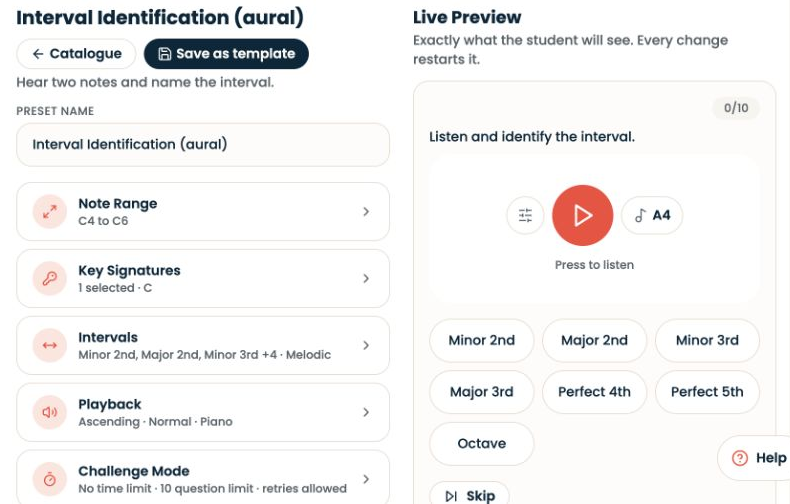
Build theory and aural assessments around what you are teaching, with a live preview before assigning them.
Choose the relevant settings: clef, note range, interval or chord types, question count, timing and retries. Customise an exercise during the lesson, then assign repeated practice before the next one.
Try this: Work on major and minor thirds in the lesson, preview a short listening exercise, then give your student the same focused skill to practise at home.
Studio · Theory, aural and digital assignments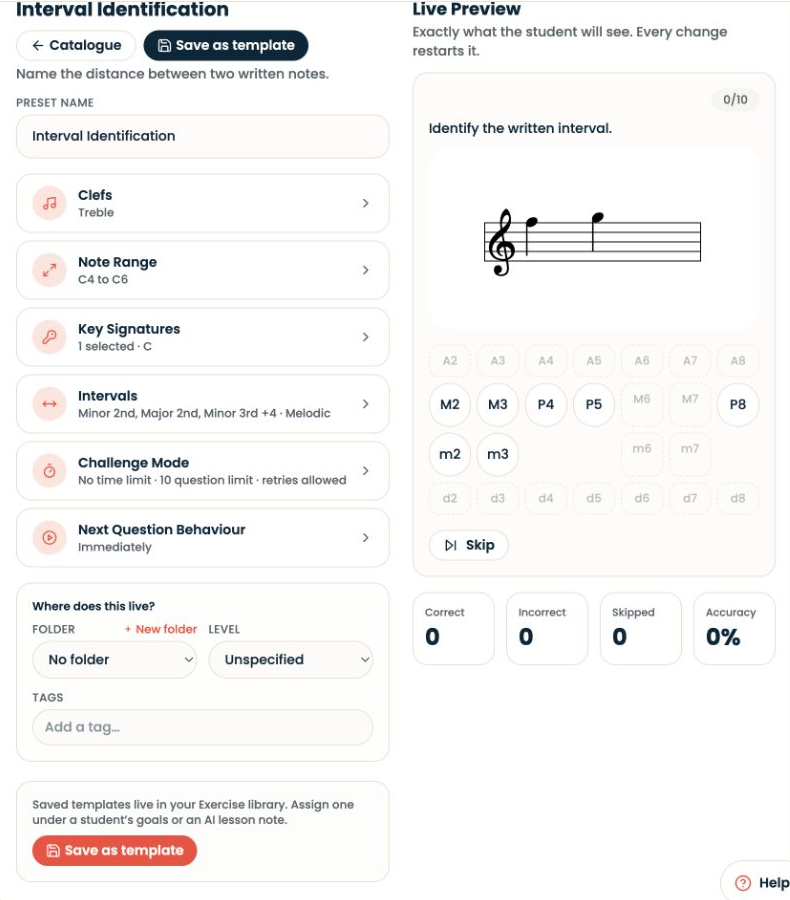
Inside the Learning helper · Coming soon
Interactive demonstrations for rhythm, pitch and harmony. Customise the musical elements—from notes, scales and chords to tempo, beat groupings and rhythm patterns—to create examples that fit your teaching material and your student's level. These examples come from the SYNKii Lab prototype.
Build a beat, explore a counting grid and hear rhythm shapes. Compare two halves with a triplet, or hear how 7/8 changes when grouped 2+2+3.
See and hear independent pulse patterns over one shared cycle. Try three against two, mute either part and find the moments where the beats meet.
Sing a sustained note and see its pitch, octave and whether it is sharp or flat. Microphone analysis stays on the device, without recording or uploading audio.
Connect intervals, scales and chords to a keyboard and notation. Hear a chord together or note by note, change its inversion and explore its role in a key.
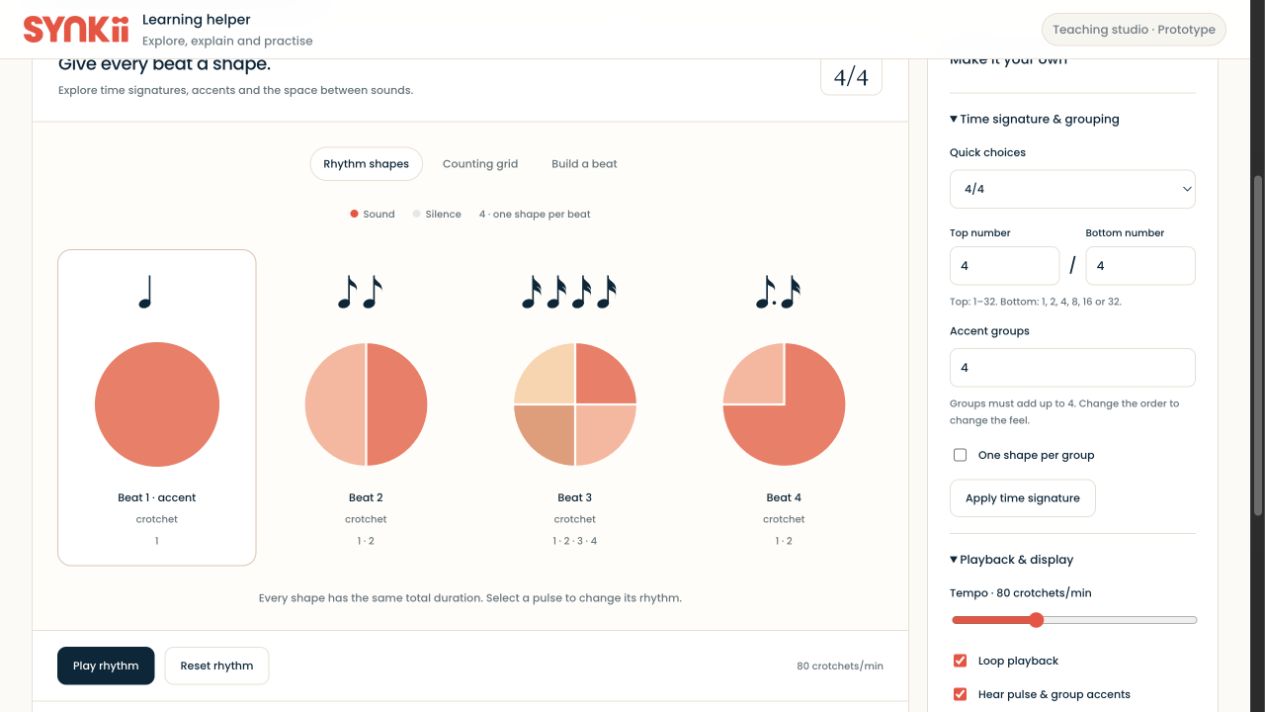
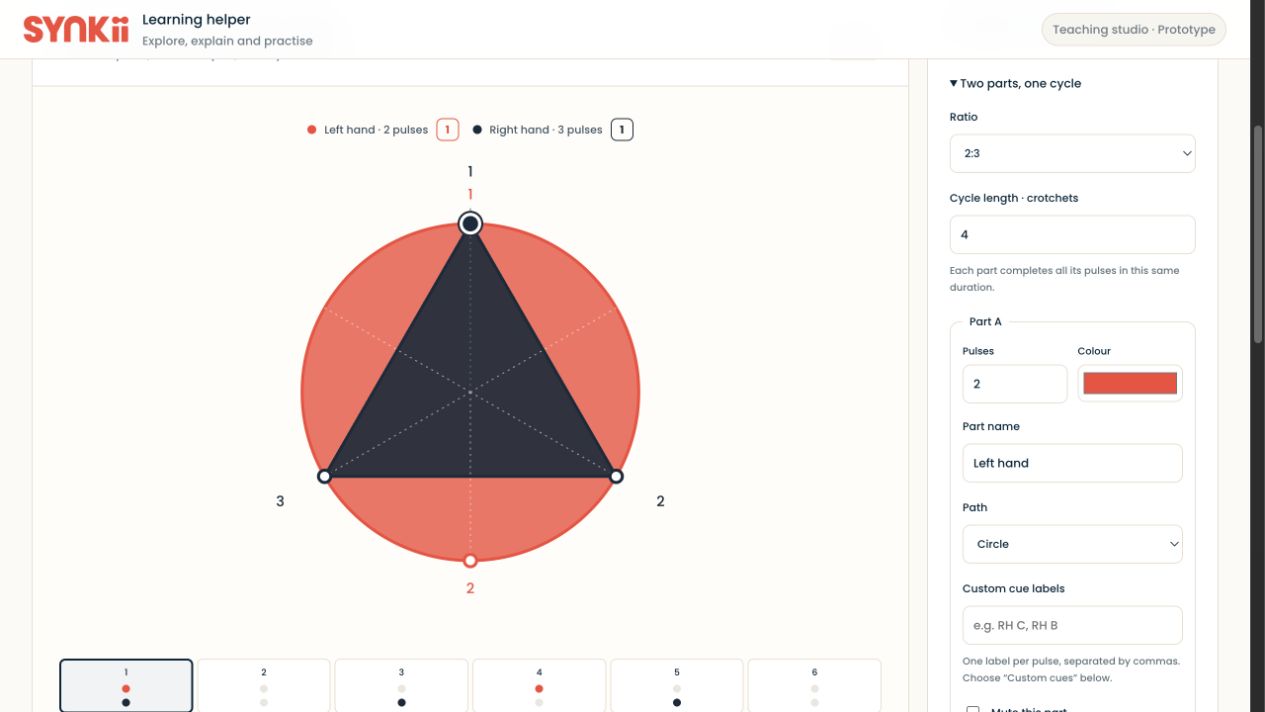
One connected teaching approach: Demonstrate the idea in the Lab, check understanding with an exercise, then give the student a clear practice task.
Capture the lesson as it happens, organise the important moments and turn them into a teacher-approved plan.
You remain in control. Review, edit and approve AI-generated notes, summaries and assignments before sharing them.
Teacher payoff: Spend less time reconstructing the lesson afterwards and give students clearer guidance while the details are still fresh.
Studio includes recording and AI lesson notes · broader workflow is product directionGive students a structured place to understand their goals, complete assignments and see their progress.
Teacher payoff: Students leave knowing exactly what to do, and the next lesson begins with evidence rather than guesswork.
Product direction · final packaging to be confirmedShare the right notes, tasks, resources and progress while keeping communication connected to the learning record.
Teacher payoff: Give students and parents useful visibility without rewriting the lesson in several different places.
Capabilities vary by planBuilt around teacher control
SYNKii keeps permissions, privacy, AI review and teacher-student relationship boundaries visible inside the workflow.
Review and edit notes, summaries and assignments before anything is shared.
Teachers see the records associated with their own student relationships, not another teacher's private workspace.
Guardian visibility and permissions support child accounts, communications and recording choices.
Plan labels and feature grouping help teachers understand what is available in Starter, Pro and Studio.
Complete feature directory
Grouped by the current plan structure so teachers can quickly understand both the breadth of the platform and where each capability sits.
Authoritative plan catalogue.
Authoritative plan catalogue.
Authoritative plan catalogue.
Support the whole relationship.
Create, edit, play back and export your own scores. Included in Pro and Studio when it launches.
Plan inclusions above are rendered from Synkii's domain catalogue. Other feature sections describe the broader product direction; availability may change before production launch.
Introducing Score Studio
Create a short exercise, adapt a score and hear it back, all inside SYNKii. Turn the musical idea in your head into something your student can play.
Included in Pro and Studio when releasedArriving in November 2026. Score Studio will be included from Pro, with no separate add-on. It will not be available at SYNKii’s initial launch.
Start with your studio, teach with music-first tools and carry every lesson into clearer practice and progress.