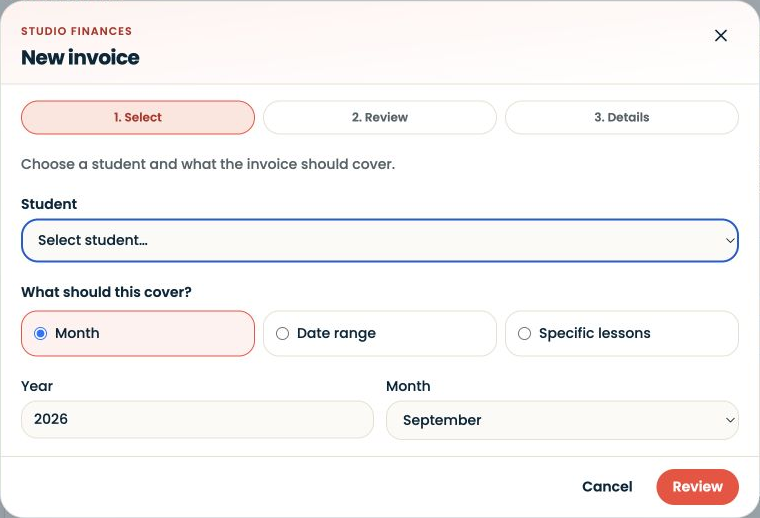
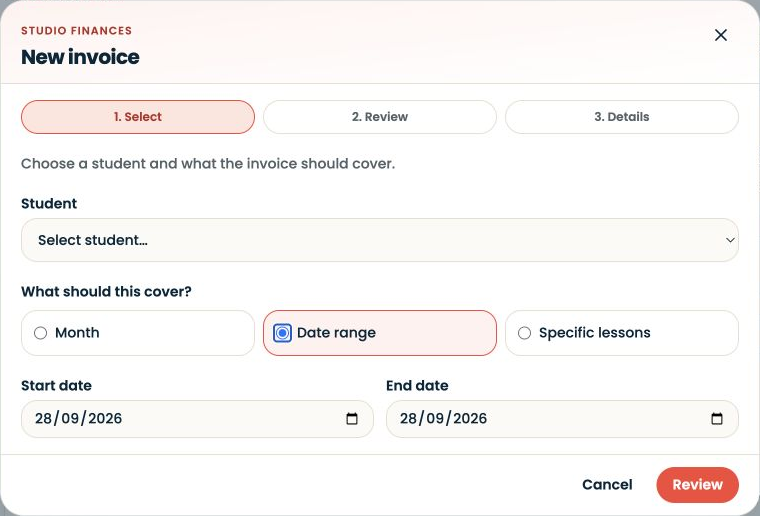
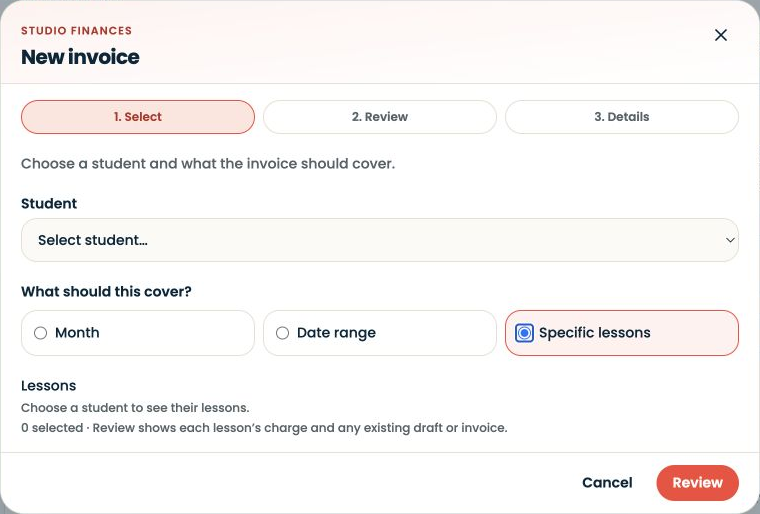
The slides show the three ways to choose invoice coverage. They stop before selecting a student, generating a draft or sending an invoice. Draft review and payment status are explained below; they are not shown as completed actions.
Written walkthrough
Open Invoices, then New invoice. Choose the correct student and the lesson coverage. The progress indicator separates Select, Review and Details so you can check the lesson selection before finishing the invoice.
Step-by-step explanation
Month. Choose the year and calendar month. Check that they match the period you intend to bill.
Date range. Choose the start and end dates for a period that does not match a calendar month. Review the included lessons rather than assuming the dates selected the intended set.
Specific lessons. Choose the student to reveal the available lessons, then select the individual occurrences. The empty example explains why no lessons appear before a student is selected.
Review the draft
Check the recipient, lesson descriptions, dates, prices, currency, total and payment details. Compare the draft with your agreement with the family. Resolve any duplicate or disputed lesson before sending.
Review payment status
A sent invoice awaiting payment is different from a paid record. Check your actual payment records before recording a payment; completing a lesson is not evidence that money has arrived. These slides do not demonstrate collecting a lesson fee.