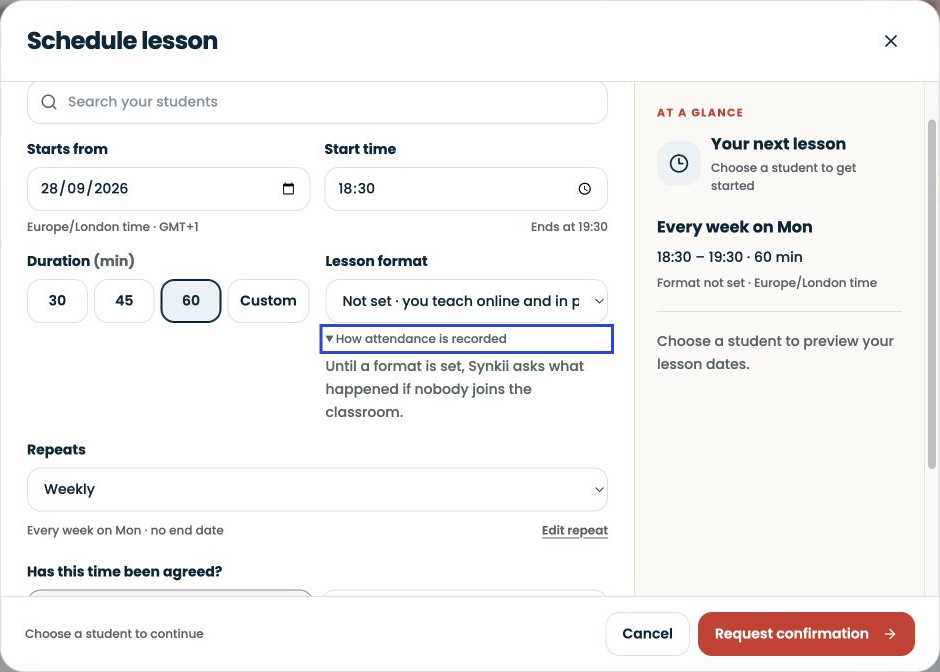
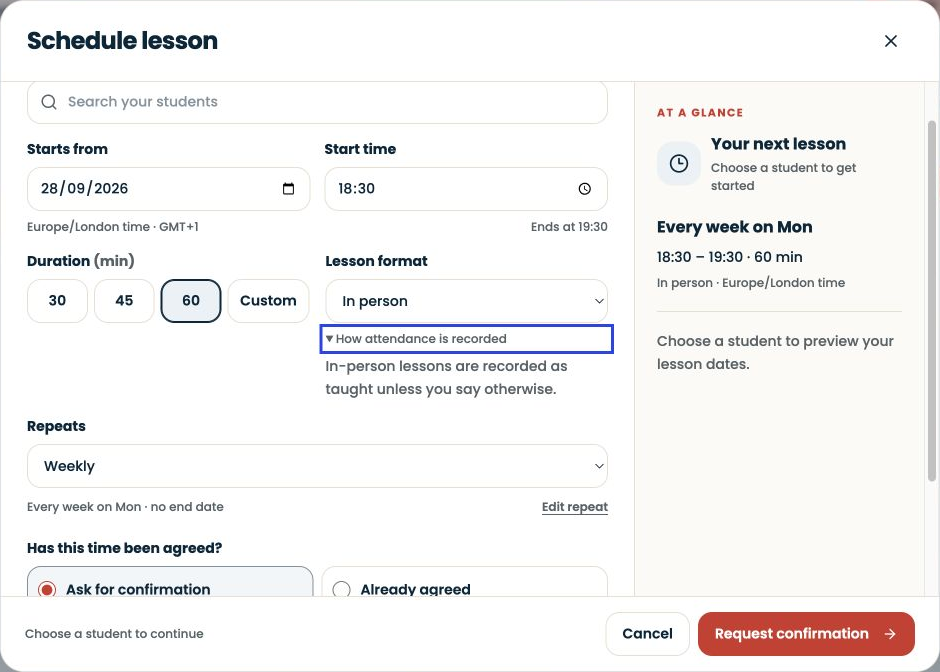
The slides show the actual lesson setup form: time, duration, repeat pattern, confirmation and lesson format. They stop before selecting a student or saving a lesson. Past attendance records are explained below but are not pictured.
Written walkthrough
Open Schedule, then New. Choose the learner and the agreed date, start time and duration. Check the time zone and repeat pattern, including any exceptions around holidays.
Choose the lesson format and expand How attendance is recorded. The in-person example explains that these lessons are recorded as taught unless you say otherwise. Set the format accurately rather than relying on the default.
Step-by-step explanation
Check the arrangement. A proposed time and an agreed time are different. Choose Ask for confirmation or Already agreed according to the actual arrangement with the family.
Check the repeat. Look at the next-lesson summary and repeat pattern before submitting. A weekly arrangement should not accidentally imply that a one-off replacement repeats every week.
Review after teaching. Open the relevant past lesson and check that attendance describes what happened. A missed lesson, cancellation and completed lesson are different records. Correct a record that does not match the event.
Attendance and payment are separate
Attendance records the lesson outcome. It does not prove that a lesson fee has arrived. When a lesson moves, preserve enough context to distinguish the original occurrence from its replacement.