A useful first week ends with one student knowing what to practise and you knowing where to look before the next lesson. Start with that complete loop.
Before the first lesson
Open your teacher workspace and check the studio details you use with families. Choose one existing student who can help you try the workflow. In Students, begin the invitation process and choose the appropriate adult learner or child-and-guardian route. Confirm the recipient before sending anything.
Add the agreed lesson to your calendar. Check its date, time, duration and teaching arrangement. Upload one resource you have permission to share; use a clear name such as “Five-note study — C major”.
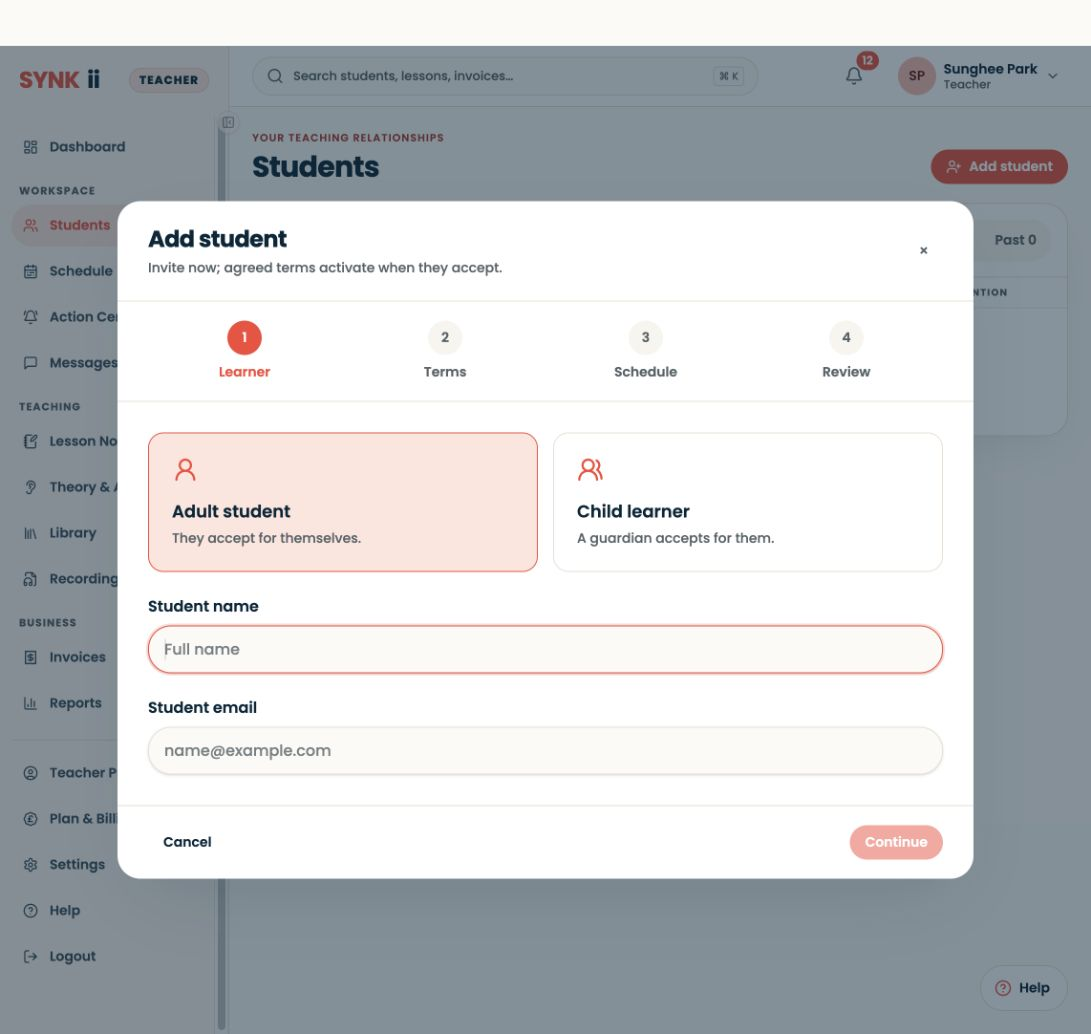
During the lesson
Open the student’s record and agree one outcome: “Play the first phrase with a steady pulse.” Teach as you normally would. If your plan includes Classroom, use the score or keyboard display only when it helps explain that outcome.
Capture a specific observation: “The pause before bar 2 breaks the pulse.” A short, accurate observation is more useful than a long general account.
Before the student leaves
Give a task that can be started independently: “Count four beats, play bars 1–2 slowly, then repeat without stopping at the bar line.” With Studio, review any AI note, correct it, preview the student view and publish only the guidance you approve. Check that the student can find the task.
At the next lesson
Ask what the student tried, then listen to the same passage. Compare the result with the original goal. Use activity records as context, not as a judgement of effort.
If the invitation is still pending, resolve that first. Do not invite the whole studio until you have checked the learner experience with this first relationship.