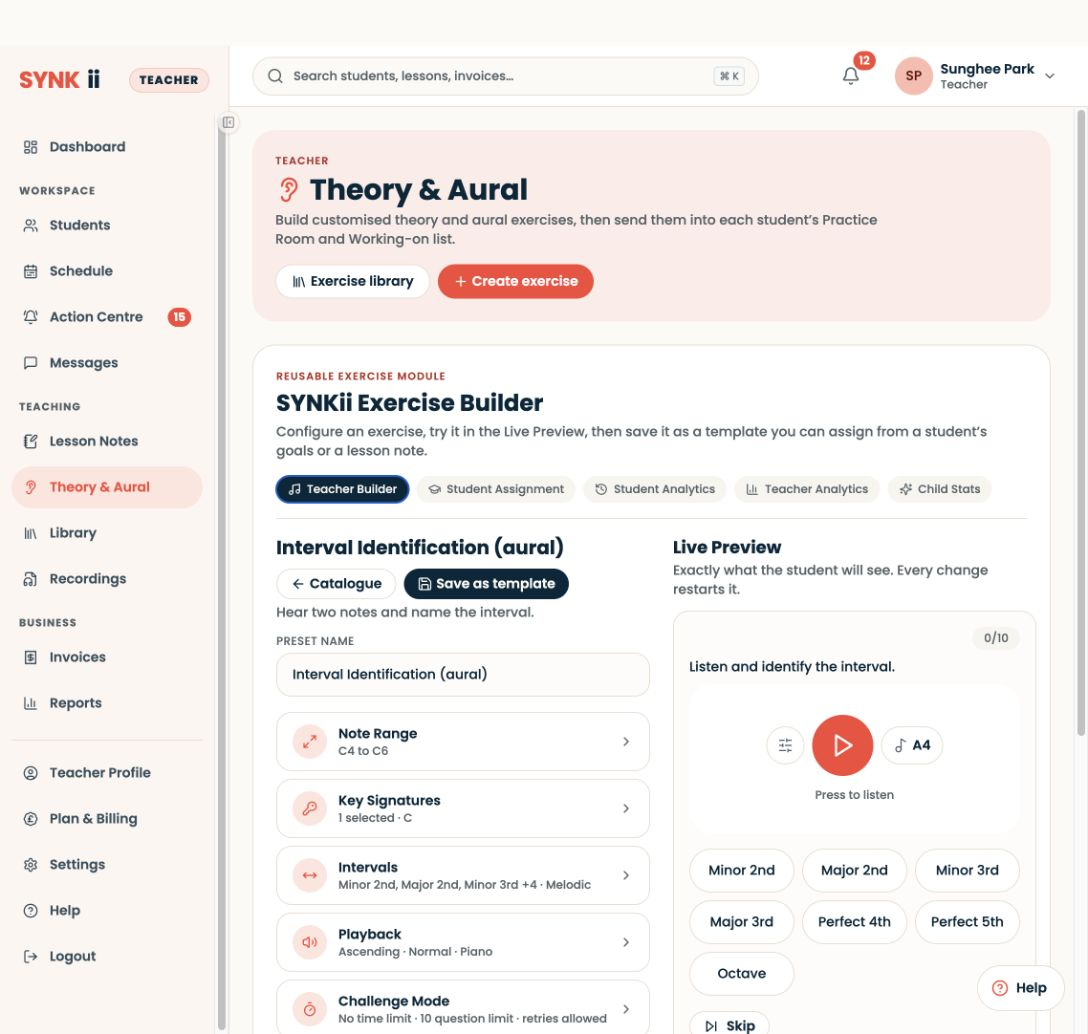
In Theory & Aural → Create exercise, select Interval Identification (aural).
Step-by-step explanation
Try the aural exercise
- In Theory & Aural → Create exercise, select Interval Identification (aural).
- Check the note range, interval choices and playback settings, then listen in Live Preview before answering.
- Explain the task in the Classroom and try it together before assigning it.
- The learner receives the exercise in Practice Room; builder preview results remain separate.
Written walkthrough
Use the steps above in the correct account and teaching relationship. Check that the intended lesson, student or resource is selected before making changes. If an action is unavailable, check your plan and the current lesson or assignment status. Confirm the result on screen before leaving the page.