Score Studio is planned for November 2026 and will be included from Pro. This preparation guide describes a first teaching exercise; confirm the final controls against the released editor.
Decide the teaching purpose
Use an original four-bar C-major melody to practise a steady pulse. Keep the notes within C4–G4 and use crotchets in 4/4 so the learner can focus on the phrase.
Prepare the material
Write the pitches before opening the editor: C D E F | G F E D | E F G E | D E D C.
The bar lines separate groups of four crotchet beats. Choose treble clef and a comfortable tempo, such as 72 beats per minute.
Build and inspect
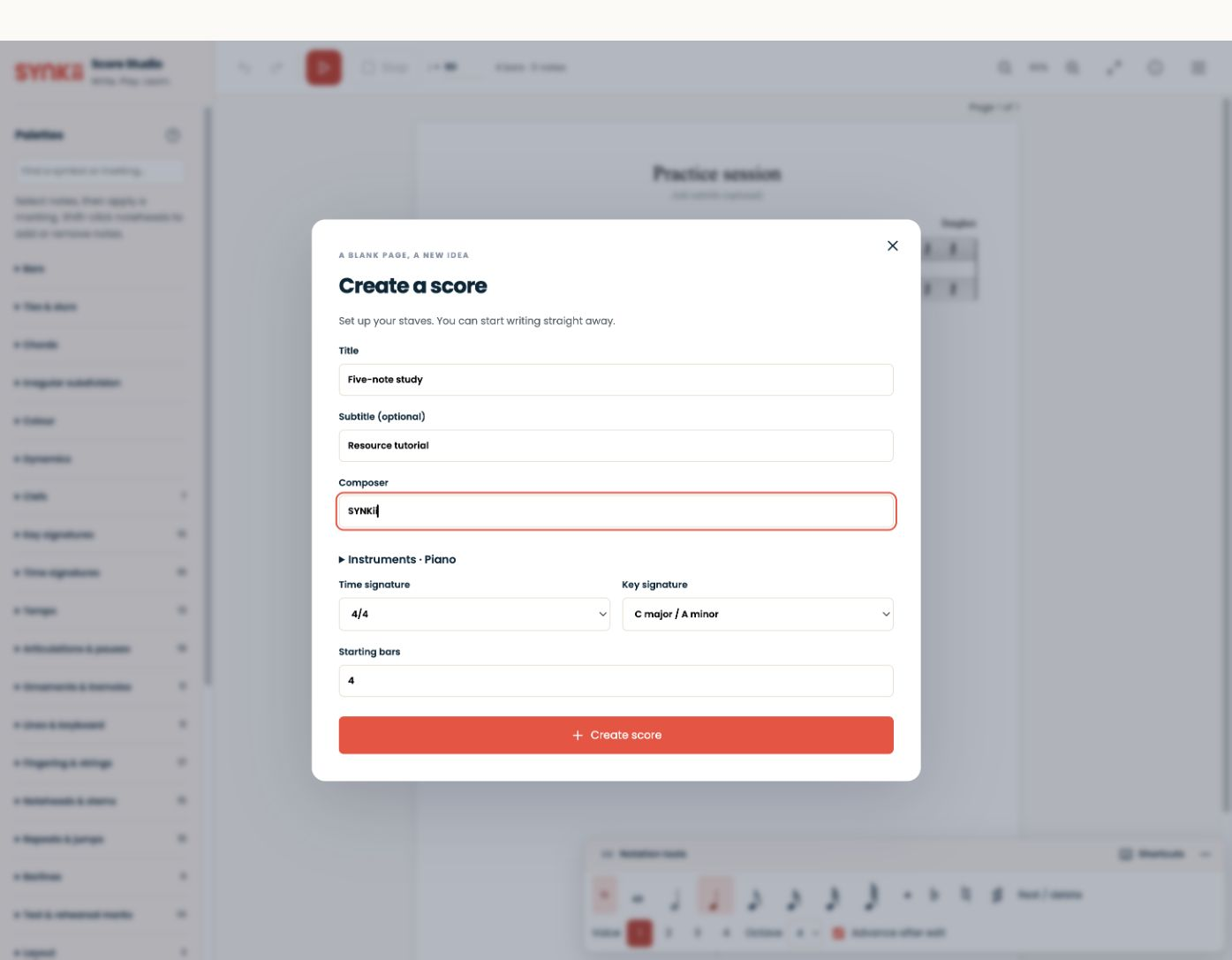
When Score Studio is available, create the score or import the provided MusicXML. Check the clef, time signature, note pitches and durations. Add only markings that support the lesson’s purpose.
Listen back and compare the result with the notation. Playback is a useful check, but an electronic sound is not a complete model of instrumental tone or phrasing.
Export and teach
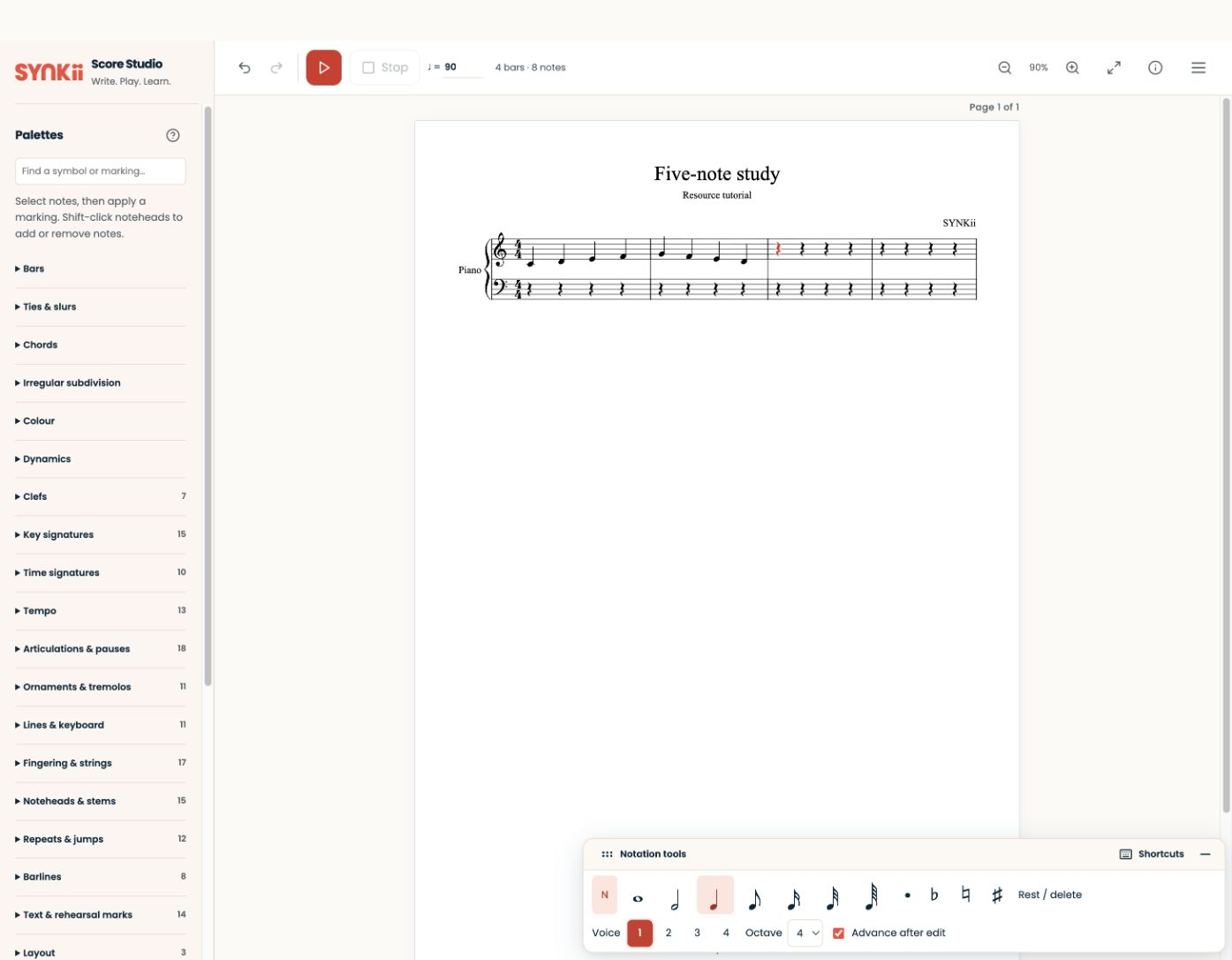
Use the export formats offered in the released editor. Reopen the exported result to check it before sharing. Give the learner a specific task rather than sending an unexplained score.
Download the original mini-study pack. The MusicXML files are available now; SYNKii’s editor is coming in November.