SYNKii AHA! Lab is coming soon. These examples show ways to incorporate its modules into your teaching; choose the explanation and examples that suit your student.
Card 1 — Triplets with Rhythm → Polyrhythm
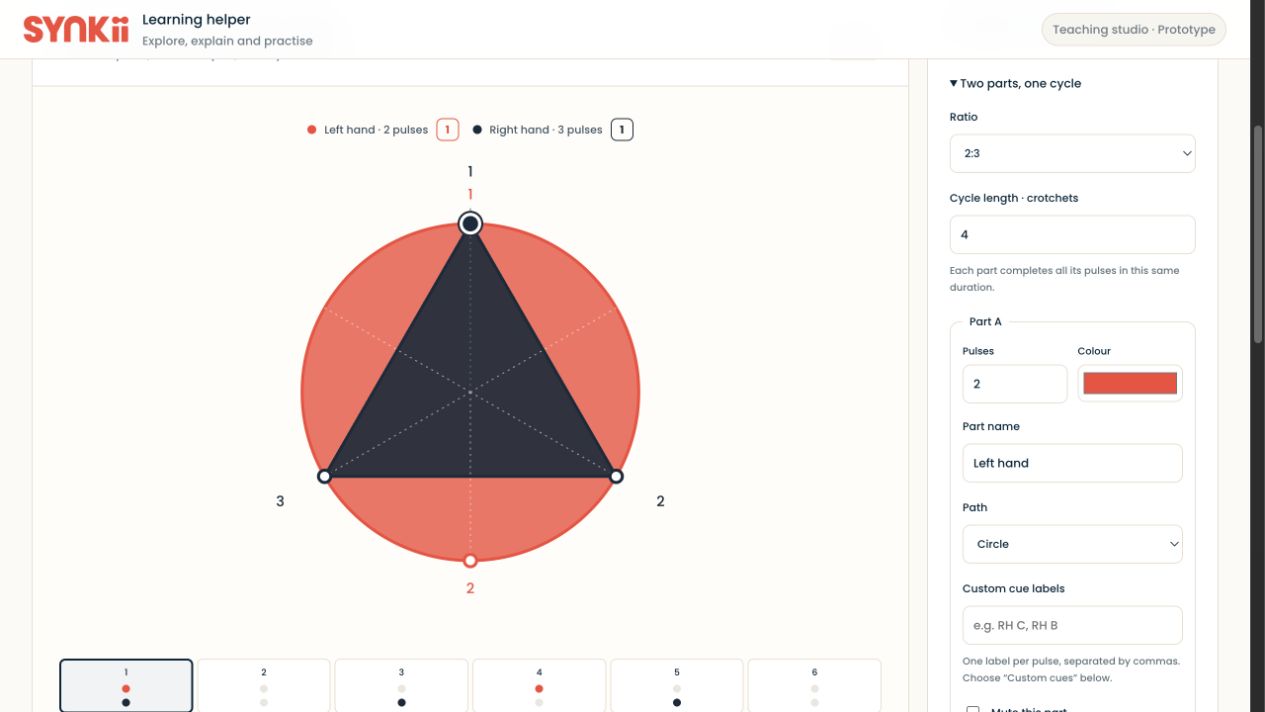
Use two-against-three over the same beat-length cycle to compare two equal subdivisions with three. In a simple time signature, use this visual to support your explanation of triplets within a beat. Set the shared cycle to match the part of the music you are discussing, and listen to each part separately or together.
Card 2 — Rhythm solfeggio with Rhythm → Beats & metre
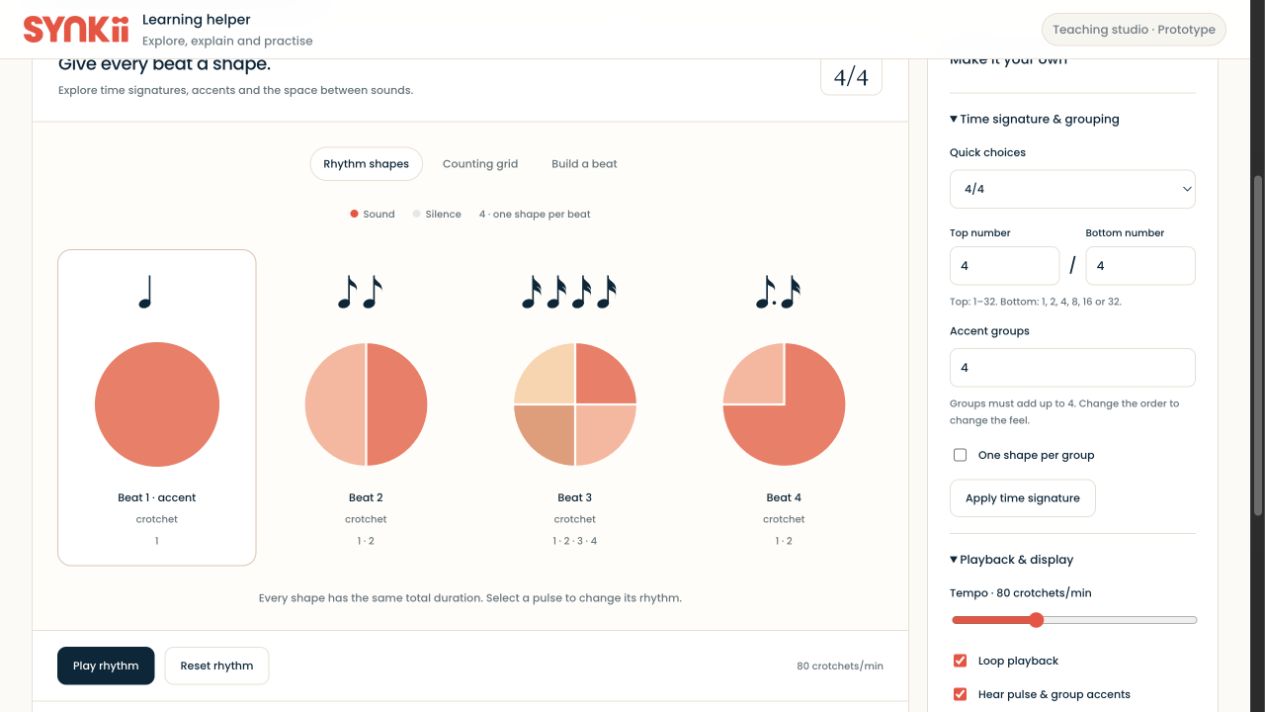
Choose the metre and rhythm pattern from your teaching material. Use the beat shapes or counting grid to show how sounds and rests occupy the beat while you speak or sing the rhythm. Use whichever rhythm syllables you already teach; the visual supports your approach.
Card 3 — Sight singing with the tuner
Choose a short passage suited to the student and use the singing tuner as visual pitch feedback. Let the student sing, observe the pitch display together and revisit a selected note or phrase. Keep your explanation connected to the passage rather than treating the display as a complete assessment of musical singing.
Card 4 — Counterpoint with the Composition kit
Use the planned Composition kit to present short musical lines for your counterpoint explanation. Focus on the relationship between the parts and adapt the examples to the style and level you teach. This is a coming-soon teaching example, not a walkthrough of a released interface.
Bring the idea back to the lesson
Use the demonstration beside the student’s score, discuss it together and choose a relevant digital exercise when useful. Preview the task with the student and assign it during the lesson.